

Featured Items Slideshow
Featured Items Slideshow
 |
| 
The module includes an HTML 5 layout, supporting a variety of transition effects. See more about the transition effects here.
These are some examples of our Featured Items Slideshow module. This module is a great way to enliven your Joomla! news articles, and encourage visitor click-through.
This module can display images from your Joomla! articles as a slideshow, with a caption taken from the text, and a link to the articles. It has some really handy features:-
- The module is smart, it can find articles with images automatically. You can just select a category, and it will find the articles and the images in them, without you needing to add anything to the articles themselves;
- articles without images will not be displayed in the slideshow;
- You can choose the number of articles, plus from a variety of orderings, including title order, most recently modified or created, number of hits, or random;
- Alternatively, you can select specific articles only to display in the slideshow;
- The size of the slide image and thumbnails is fully customizable through the module parameters, so the module can work as a large central display, or a small feature;
- There is a large range of customizable features, including whether or not to display the thumbnails, the orientation of the thumbnails (horizontal or vertical), the type of scroller used (click or mouseover), plus whether to auto-start the show on page loading;
- The module is search engine friendly, because the article caption content and the links are rendered on the page as ordinary html, the slideshow being constructed from this content, hence Google will have no problem crawling the article links.
- You can choose the amount of text to display in the caption;
- You can have as many instances of the slideshow module on the page as you want, with separate parameters for each.
- The module includes image handling functions. The images can be dynamically resized, with image caching and image compression supported for improved performance.
System Requirements
Joomla
The slideshow module is compatible with Joomla versions 2.5 and 3. The module supports K2 and the Joomla Core Content component.
Browser Support
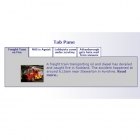
The HTML 5 slideshow also requires a web browser that supports the HTML 5 canvas element, for example current versions of Opera, Firefox, Safari, Google Chrome and Internet Explorer version 9. Versions of Internet Explorer prior to version 9 do not support the canvas element. In that case the script that loads the slideshow can automatically detect this, and will load the HTML 4 slideshow instead, so viewers will still see a slideshow, the one illustrated below in fact.
HTML 4 Slideshow
If the web browser does not support the HTML 5 canvas element this is automatically detected, and the viewer sees an HTML 4 slideshow instead. You can see an example of the HTML 4 slideshow here.








-
-

- GooglebaseXML for Joomla 3.x series
- In Support Questions / Virtuemart Extensions Support Questions
- 1 week 14 hours ago
-
-
-
- downloaded file is invalid
- In Support Questions / Virtuemart Extensions Support Questions
- 1 week 6 days ago
-
-
-
- VM 2.6 GTN & MPN fields
- In Support Questions / Virtuemart Extensions Support Questions
- 2 weeks 1 day ago
-
-
-
- Zero products show up in GooglebaseXML feed
- In Support Questions / Virtuemart Extensions Support Questions
- 2 weeks 1 day ago
-