|
Updates to Featured Items Modules |
|
|
|
|
Friday, 05 March 2010 17:10 |
|
We have introduced some major updates to our Featured Items Pro and Featured Items Carousel modules.
When we first introduced these module the idea behind them was to allow the publishing of short extracts from Joomla articles. However we found that many of our customers were using them to publish whole articles. Therefore we have introduced some new features to support this: now it is possible to publish the whole article, with all html tags included. The articles can now also trigger content plugins.
As well as using selected sections or categories, the modules can now display results for the current category or section, allowing you to use a single module to display results for each section and category of your site.
We have also introduced thumbnail image caching to improve efficiency when image thumbnails are used. We have also introduced some substantial rewrites to the code, so that, even though the module supports articles from both the Joomla Content Component and Mighty Extensions Resources, only the necessary code for the relevant content source is loaded. We have done this because we intend in the future to support additional content construction kits for Joomla, and now we will be able to do this without compromising the modules' efficiency.
Lastly, the Carousel module now includes an optional auto-scroller. |
|
Last Updated on Thursday, 11 March 2010 12:09 |
|
|
Improved Image Handling in our Slideshow Module |
|
|
|
|
Tuesday, 02 March 2010 19:55 |
|
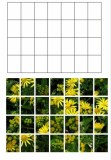
We have improved image handling in our Featured Items Slideshow Module. This module for Joomla 1.5x can display images from your Joomla! articles as a slideshow, with a caption taken from the text, and a link to the articles. A great way to enliven your news articles.
Now we have added several improvements to its image handling.
Image Resizing
When images are bigger than the size displayed in the slideshow, they can be automatically resized.
Image Caching
If you use image resizing then the resulting resized images will be cached, to improve performance.
Image Quality
Images can be automatically compressed: the resulting compression can reduce the file size quite a bit, and will speed loading the slideshow.
View an example
|
|
Last Updated on Tuesday, 02 March 2010 20:01 |
|
Update to Virtuemart Flash Slideshow Module |
|
|
|
|
Saturday, 27 February 2010 14:43 |
We have added an update to our Virtuemart Flash Slideshow Module.
This module for Joomla 1.5x can be used as a replacement for the Virtuemart featured products, top products, random products or recent products modules. It displays product images as an attractive Flash slideshow.
Unlike most Flash galleries, this module is fully integrated with Virtuemart. The module content is drawn directly from your product database, you just install it using theJoomla installer, and configure it using the module manager, as standard with Joomla modules.
The products displayed can be filtered according to selected categories. With our latest update the products can also be filtered according to the current category when the Virtuemart category browse page or product flypage is being viewed.
View an Example
Buy Now
|
|
Last Updated on Wednesday, 03 March 2010 17:21 |
|
Update to Virtuemart Featured Product Grid |
|
|
|
|
Saturday, 27 February 2010 13:23 |
|
We have updated our Featured Product Grid Module for Virtuemart.
This module extension for Joomla 1.5 and Virtuemart is an alternative to the Virtuemart featured products module. It can be used to show featured products, top ten products, recent products, and random products from some or all categories.
The module is particularly useful when you want to display additional images for your products, as these are shown in a scroller.
The products can be filtered by selected categories, and our new feature is that it can now filter products according to the current category when a category browse page or a product flypage is being viewed.
View an example
View the documentation
Buy Now |
|
Our New 'News Tab' Module |
|
|
|
|
Saturday, 20 February 2010 14:29 |
|
We are happy to announce the release of our new 'News Tab' module.
This module allows you to display links to your Joomla news articles in a series of tabs, a format popular with many news websites. The module supports articles both from the Joomla core content component and from Mighty Extensions Resources.
A simple application of this module would be to display 'latest', 'popular' and 'featured' articles using three tabs. However this module is extremely flexible, and is capable of far more than that. You can display up to 8 tabs (if you have the space), and each tab can display any of the following types of content:-
- latest (most recently modified or created)
- popular (most hits)
- featured (articles specified by list of id's)
- random
- author (articles by selected list of authors)
- profiled (JomSocial/Mighty Touch integration - show articles by currently profiled user)
- section (section or list of sections)
- category (category or list of categories)
- type (type or list of types - applies to Mighty Resources only
You can control the amount of information displayed for each article, ranging from a simple link, to a short extract with an image thumbnail, to showing the entire article. The module can even display content plugins.
This gives you a great way to highlight your content in a format that takes up relatively little space on the page.
View an example
Buy Now |
|
|
|
|
<< Start < Prev 1 2 3 4 5 6 Next > End >>
|
|
Page 1 of 6 |